

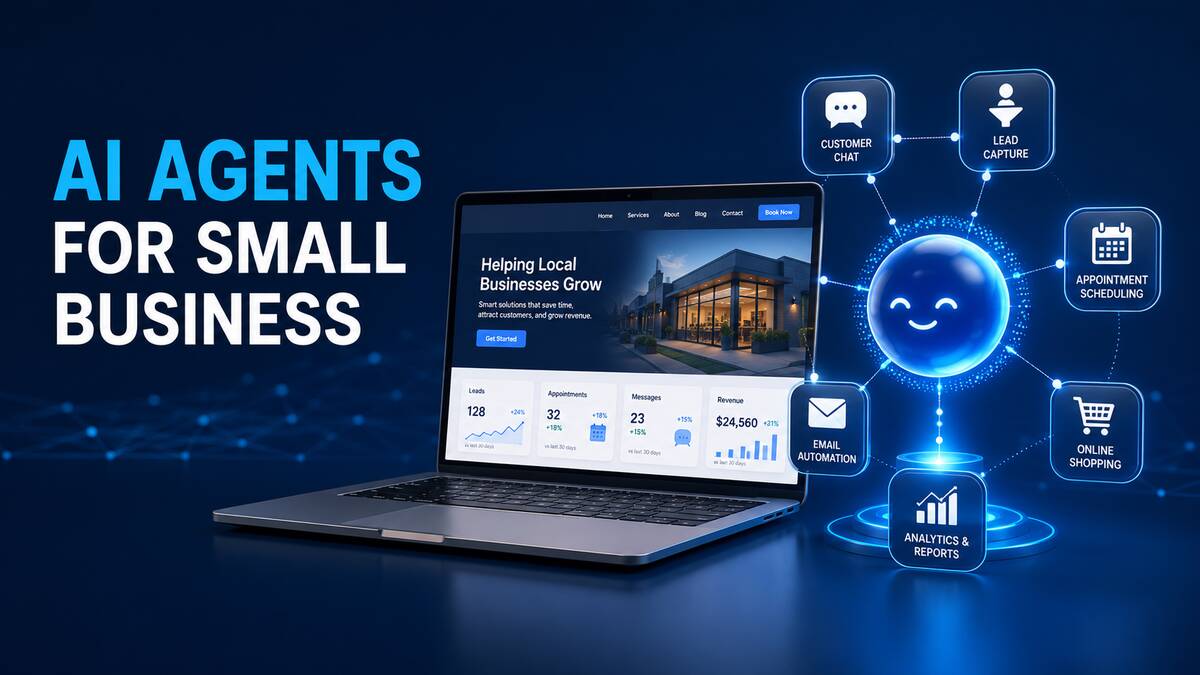
What Is an AI Agent?
An AI agent is a software system that uses artificial intelligence to understand instructions, make decisions and perform tasks. It can connect with a website, customer relationship management platform, calendar, email account, online store or another business application.
For example, a website visitor might ask whether an appointment is available next Tuesday. A standard chatbot may only provide the company’s opening hours. A properly configured AI agent could check the business calendar, show available times, collect the visitor’s information and create the booking.
How Are AI Agents Different From Chatbots?
Chatbots and AI agents are related, but they are not exactly the same.
- Traditional chatbots usually provide answers from a fixed list of questions and responses.
- AI chatbots can understand natural language and generate more flexible answers.
- AI agents can understand the request and take an approved action using connected tools.
This ability to complete tasks makes AI agents useful for small businesses that want to reduce repetitive administrative work.
Ways AI Agents Can Automate a Business Website
1. Answer Customer Questions
An AI agent can answer common questions about services, prices, operating hours, delivery times, policies and locations. It can use information from the website or an approved business knowledge base.
This gives visitors immediate assistance, including outside normal business hours. Complicated questions can still be transferred to a human team member.
2. Capture and Qualify Leads
Instead of using a basic contact form, an AI agent can have a short conversation with a potential customer. It may ask about the service required, budget, preferred timeline and location.
The agent can then organize the information, assign a lead category and send it to the appropriate salesperson or CRM system. This helps businesses respond to valuable inquiries more quickly.
3. Schedule Appointments
AI agents can connect with appointment and calendar systems to check availability. They can help visitors select a suitable time, create the booking and send confirmation details.
Depending on the setup, the agent may also help customers reschedule or cancel appointments. This is useful for consultants, contractors, healthcare practices, beauty businesses and other service providers.
4. Provide WooCommerce Assistance
For a WooCommerce store, an AI agent can help customers find products based on price, features, compatibility or availability. It may also explain shipping policies, provide order information and recommend relevant products.
More advanced agents can assist authorized staff with inventory checks, product management and store reports. Sensitive or irreversible actions should always require proper permissions and human approval.
5. Create Support Tickets
When an issue cannot be resolved automatically, the AI agent can collect the necessary details and create a support ticket. It can include the customer’s name, contact details, problem description and relevant order or account information.
This saves time for support teams because they receive a more complete and organized request.
6. Automate Follow-Up Messages
Many businesses lose potential customers because inquiries are not followed up quickly. An AI-powered workflow can send an acknowledgement, request missing information or notify the correct team member.
Follow-up automation should be configured carefully to avoid excessive or irrelevant messages. Customers should also have a clear way to contact a human.
7. Assist With Website Maintenance
AI-assisted monitoring can help identify broken links, failed forms, unusual website errors, outdated pages and performance problems. It can organize these issues into reports or notify the website administrator.
AI should not automatically make unrestricted changes to a production website. Backups, staging tests and human approval remain important for WordPress updates and code changes.
8. Organize Business Information
An AI agent can summarize inquiries, classify form submissions and transfer information between approved systems. For example, it could add a qualified lead to a CRM, notify a salesperson and create a follow-up task.
This reduces manual data entry and helps keep customer information organized.
Benefits of AI Agents for Small Businesses
- Provide faster responses to website visitors
- Offer assistance outside normal business hours
- Reduce repetitive administrative tasks
- Improve lead collection and qualification
- Create a more personalized customer experience
- Connect the website with existing business tools
- Allow employees to focus on higher-value work
The biggest benefit is not replacing employees. It is reducing repetitive work so the business can respond faster and use its team more effectively.
What Can AI Agents Connect With?
Depending on the business and available integrations, an AI agent may connect with:
- WordPress
- WooCommerce
- Customer relationship management systems
- Email platforms
- Google or Microsoft calendars
- Appointment-booking systems
- Help desk software
- Inventory systems
- Internal business databases
- Analytics and reporting platforms
The agent should only receive the minimum permissions needed to complete its assigned tasks.
Are AI Agents Safe for Business Websites?
AI agents can be used safely, but security must be included in the implementation. An agent with excessive access could expose private information or perform an unintended action.
A secure setup should include:
- Limited user permissions
- Secure API authentication
- Approval for sensitive actions
- Activity logs
- Rate limits and usage controls
- Protection against malicious instructions
- Regular backups
- Human review of important decisions
Payment changes, refunds, user deletion, bulk content updates and other high-impact actions should normally require human confirmation.
How Much Does an AI Agent Cost?
The cost depends on the complexity of the project. A simple website assistant that answers questions may cost much less than an agent connected to a CRM, calendar, WooCommerce store and custom database.
The final cost may include initial development, third-party API usage, hosting, maintenance and ongoing improvements. Businesses should begin with one clearly defined task and expand after measuring the results.
How to Start Using an AI Agent
- Choose one repetitive business task.
- Define what the agent is allowed to do.
- Identify the website and business systems it must access.
- Prepare accurate service, product and policy information.
- Test the workflow using real customer questions.
- Add human approval for sensitive actions.
- Monitor conversations, errors and completed tasks.
- Improve the agent based on actual results.
A focused agent is normally more reliable than one that is expected to manage every business activity from the beginning.
Will AI Agents Replace Business Websites?
AI agents are more likely to change how people interact with websites than replace them completely. Customers still need reliable pages containing service details, product information, business credentials, policies and contact information.
The website provides the trusted information and user interface, while the AI agent helps visitors find information and complete tasks more efficiently.
Frequently Asked Questions
Can an AI agent work with WordPress?
Yes. An AI agent can connect with WordPress through approved APIs, plugins or custom integrations. Its capabilities depend on the website configuration and permissions provided.
Can an AI agent generate leads?
Yes. It can answer initial questions, collect contact information, ask qualifying questions and transfer suitable leads to a CRM or sales representative.
Can an AI agent manage WooCommerce orders?
It can assist with product discovery, order-status requests and approved administrative tasks. Refunds, order deletion and other sensitive operations should require authentication and human approval.
Does a small business need a custom AI agent?
Not every business needs a fully custom system. A simple AI assistant may be sufficient for answering questions or collecting leads. Custom development becomes useful when the agent needs to access specific tools or follow unique business processes.
Can AI agents operate 24 hours a day?
Yes. They can provide automated assistance at any time, but businesses should monitor performance and provide a clear option for customers to reach a human.
What is the best first task to automate?
Start with a repetitive, low-risk task such as answering common questions, qualifying leads or collecting support details. This allows the business to measure results before introducing more advanced automation.
Build an AI-Powered Website for Your Business
AI agents can turn a traditional business website into a more useful system for customer support, lead generation, bookings and daily operations. The right implementation begins with a clear goal, secure access and a carefully tested workflow.
WebAI Services develops WordPress websites, WooCommerce solutions and custom AI automations for businesses. Contact us to discuss how an AI agent could support your website and reduce repetitive work.